Web Scraper (webscraper.io) Alternative: Website Scraper vs Web Scraper
By Ashesh DhakalUpdated 7 min read
Nobody looks for a "webscraper.io alternative" at random. Usually one of three things sent you: a sitemap you built by clicking stopped working after the site redesigned, you realized the free extension only runs while your own computer is on, or you hit the jump from free to $50/month for the Cloud version and wanted to compare. I built Website Scraper, which takes a different route — paste a URL, describe the data in plain English, get a clean table — so read this knowing I'm not a neutral party. I'll also say plainly where webscraper.io is the better pick, because a comparison that concedes nothing is useless.
webscraper.io is one of the most established scraping tools on the web, with a free extension that millions have installed. It's a genuinely good product for what it is. This page is about where its model and mine diverge, what each actually costs in 2026, and how to move if the math points that way.
What is webscraper.io?
Web Scraper (webscraper.io) is a browser extension for Chrome and Firefox built around point-and-click selectors. You open a site, create what it calls a "sitemap" — a recipe of the elements to extract — by clicking the titles, prices, and links you want, then run it to pull a table. It handles pagination, follows links into detail pages, and exports CSV, XLSX, or JSON.
The extension is free for local scraping, which is its biggest draw and its biggest asterisk: the scrape runs in your browser, so your computer has to stay on, and you can't schedule anything. To get scheduled runs, cloud execution, proxy rotation, and API access you move to Web Scraper Cloud, which — verified on webscraper.io/pricing on July 6, 2026 — runs Startup at $50/month (1 parallel scraper, 500 MB bandwidth), Advanced at $100/month (2 scrapers, 1 GB), and Business at $250/month (5 scrapers, 2.5 GB, dedicated IP, API). Cloud also adds CAPTCHA and bot-protection handling. If you like building precise selector recipes and your computer is always on, the free extension is genuinely hard to beat on price.
Website Scraper vs Web Scraper: side-by-side comparison
I verified the webscraper.io figures below against their pricing page on July 6, 2026. Pricing changes, so confirm current numbers there before deciding.
| Website Scraper | Web Scraper (webscraper.io) | |
|---|---|---|
| How you build a scrape | Paste a URL, describe the data in plain English. No selectors | Point-and-click a "sitemap" of selectors in the browser extension |
| Survives site redesigns | Yes — AI reads the current layout; nothing to re-point | A layout change can break the sitemap's selectors |
| Free tier | 25 pages/mo in the cloud, no card, nothing to keep open | Free extension, but local only: computer must stay on, no scheduling |
| Entry paid plan | Starter: $19/mo — 1,000 pages, 5 monitors, daily checks | Cloud Startup: $50/mo — 1 parallel scraper, 500 MB bandwidth |
| Higher tiers | Pro $49/mo (5,000 pages, hourly, API); Business $129/mo; Scale $299/mo | Cloud Advanced $100/mo (1 GB); Business $250/mo (2.5 GB, dedicated IP, API) |
| Pricing model | 1 credit = 1 page; failed scrapes never charged; packs never expire | By bandwidth + parallel scrapers; harder to forecast |
| Where it runs | Cloud, always — even the free tier | Free = your browser (computer on); Cloud = their servers (paid) |
| Monitoring | Alert rules filter every change — only meaningful changes email you | Cloud scheduling re-runs the scrape; you compare the output yourself |
| Exports | CSV, JSON, XLSX, Markdown, REST API, webhooks | CSV, XLSX, JSON; Cloud adds API + push to Sheets, Dropbox, S3 |
| Setup time | Under a minute: paste URL, describe data | Minutes per sitemap: click, verify, adjust selectors |
A fair word on the pricing models, because they don't line up cleanly. webscraper.io's Cloud is priced by bandwidth and parallel scrapers, which can be efficient for a few high-volume jobs but is genuinely hard to predict — a data-heavy site burns your bandwidth allowance faster than a light one. Website Scraper's 1 page = 1 credit is easier to forecast: you know a 40-page job costs 40 credits before you run it, whatever those pages weigh. Different shapes of work favor each, but only one of them lets you predict the bill.
When is webscraper.io the better choice?
Stay with webscraper.io if any of these fit — I'd rather tell you now than after you've switched:
- You only scrape occasionally, on your own machine. The free extension costs nothing and never expires. Nothing I offer beats free for local, occasional work.
- You want precise, hand-built selectors. Point-and-click sitemaps give you exact control over which element maps to which column — useful on idiosyncratic pages where you want to place every field yourself.
- Your job is a multi-step click-through. Sitemaps can walk logins, filters, and category trees step by step. Website Scraper's single-URL model doesn't attempt that kind of recorded flow.
- You've already built and tuned your sitemaps. A working library of recipes is real switching cost, and "if it isn't broken" is a legitimate answer.
When is Website Scraper the better choice?
Pick Website Scraper if you want the data without building or maintaining selectors, a bill you can predict, and monitors that only speak when something meaningful changes.
Nothing to select, nothing to re-point
A sitemap built by clicking is bound to the layout you clicked. That isn't a webscraper.io flaw — it's how selector-based scraping works everywhere. When a site redesigns, the selectors can miss and the sitemap needs fixing. Website Scraper never had selectors to break: you describe "product name, price, rating" and the AI reads the rendered page the way a person does, on the layout that exists today — including the JavaScript-heavy pages that trip up brittle selectors. If you've ever re-pointed a sitemap after a redesign, that's the chore this removes.
It runs in the cloud, even for free
The catch in "free" is that the webscraper.io extension runs in your browser, so your computer has to stay on for the scrape to finish — and scheduling isn't available until you pay for Cloud. Website Scraper runs on our servers from the free tier up: close your laptop and the scrape still completes, and a monitor still checks on schedule. You get cloud behavior without starting at $50/month for it.
Billing you can predict
Bandwidth-based pricing means you don't fully know a job's cost until it runs. Website Scraper is a receipt: 1 credit = 1 page, failed scrapes are refunded automatically so you only pay for pages that returned data, and credit packs ($9 → 300, $29 → 1,200) never expire — buy once, use whenever. No bandwidth math, no parallel-scraper tiers to reason about.
Alerts only when it matters
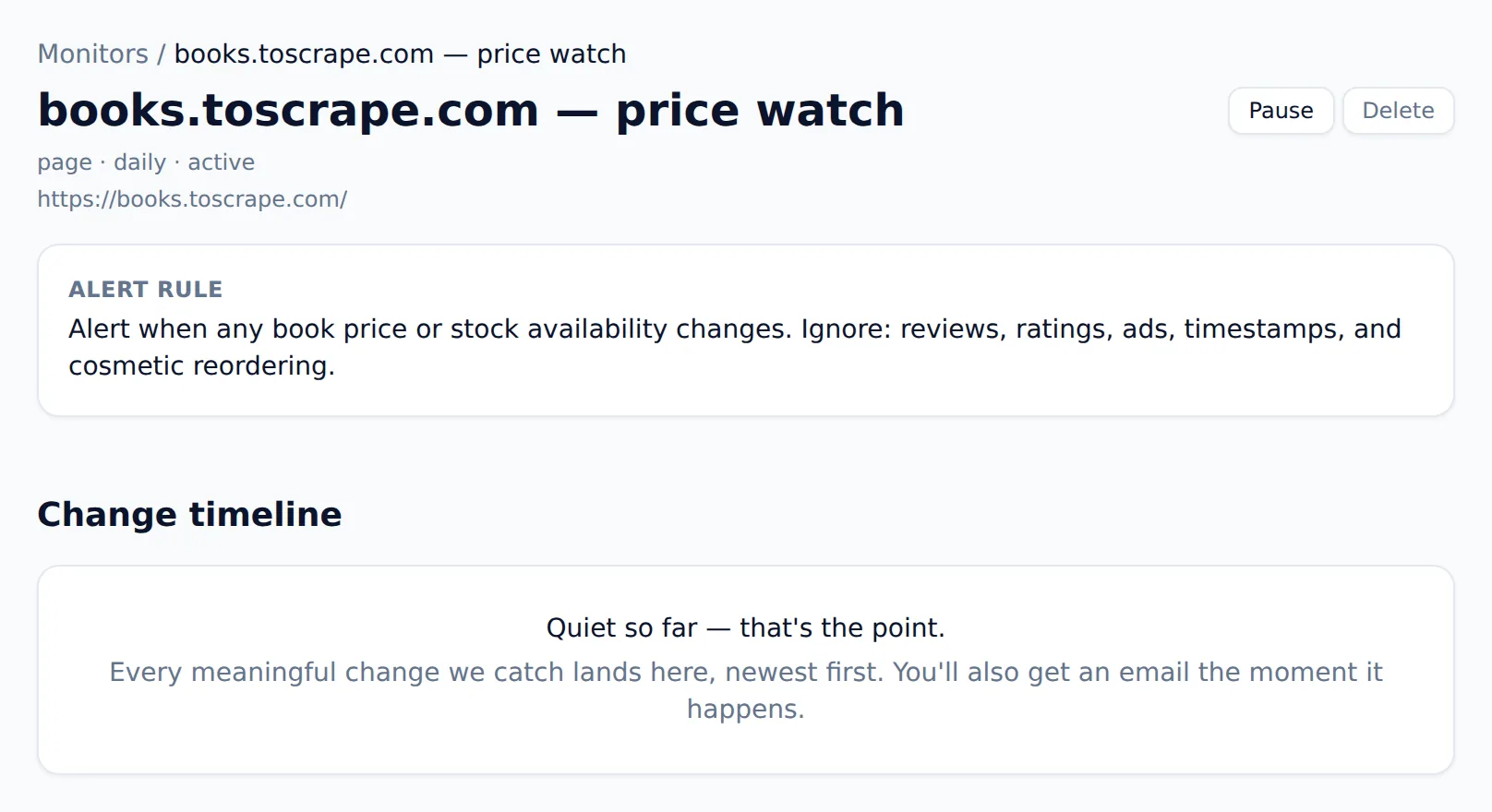
Web Scraper Cloud can re-run a scrape on a schedule, but comparing one run to the next is on you. Website Scraper's monitors read each change against the alert rule you wrote — a price moved, an item sold out, a listing appeared — and stay silent on rotating banners, view counts, and timestamps. If price tracking is why you're here, the website price scraper page covers scraping a store and watching it for drops specifically.
Try it before you trust it
The homepage is the product: paste a URL and run your first scrape logged out — no account, no card, nothing to install. Extraction quality is the whole question, so you shouldn't have to sign up to judge it. One boundary worth knowing: Website Scraper honors robots.txt and refuses sensitive categories (banking, government, people-search). If your work needs to go around a site's rules, this isn't your tool.
How do I switch from webscraper.io to Website Scraper?
Switching is mostly re-describing what you already built, and neither side locks your data in:
- Export your data from webscraper.io (CSV/XLSX) so you keep continuity.
- List your active sitemaps — each one's target URL and the columns it extracts.
- Recreate each as a saved scraper: paste the URL, describe the fields in plain English, check the table. There are no selectors to place.
- Set up monitors for anything you were re-running on a schedule, and describe what counts as a meaningful change so alerts stay quiet otherwise.
- Validate on the free tier (25 pages/month, no card) before you pay anything, then run both in parallel for a few days and compare.
The bottom line
webscraper.io earns its place for free local scraping and precise, hand-built selector recipes — if your computer's always on and you like placing every field yourself, it's tough to beat. When the job is "get this data into a table without building selectors, from anywhere, and tell me when it meaningfully changes," that's what I built Website Scraper for: AI extraction with nothing to re-point, cloud runs from the free tier up, and billing you can predict.
Start with the free plan's 25 monthly credits, or run a scrape from the homepage without signing up. Full details are on the pricing page, and if you're weighing more than these two, my roundup of the best AI web scrapers compares seven tools on the same terms — and I put several to a real test in what happens when you point one AI scraper at 13 popular sites.